Best Apps for Editing Jewelry Photos on Your Phone
Jewelry photography is an important part of selling rings, necklaces, bracelets, earrings, and other accessories online. Customers often examine product photographs before reading descriptions or checking prices. They want to see the gemstone, metal finish, design, and small details before deciding to purchase.
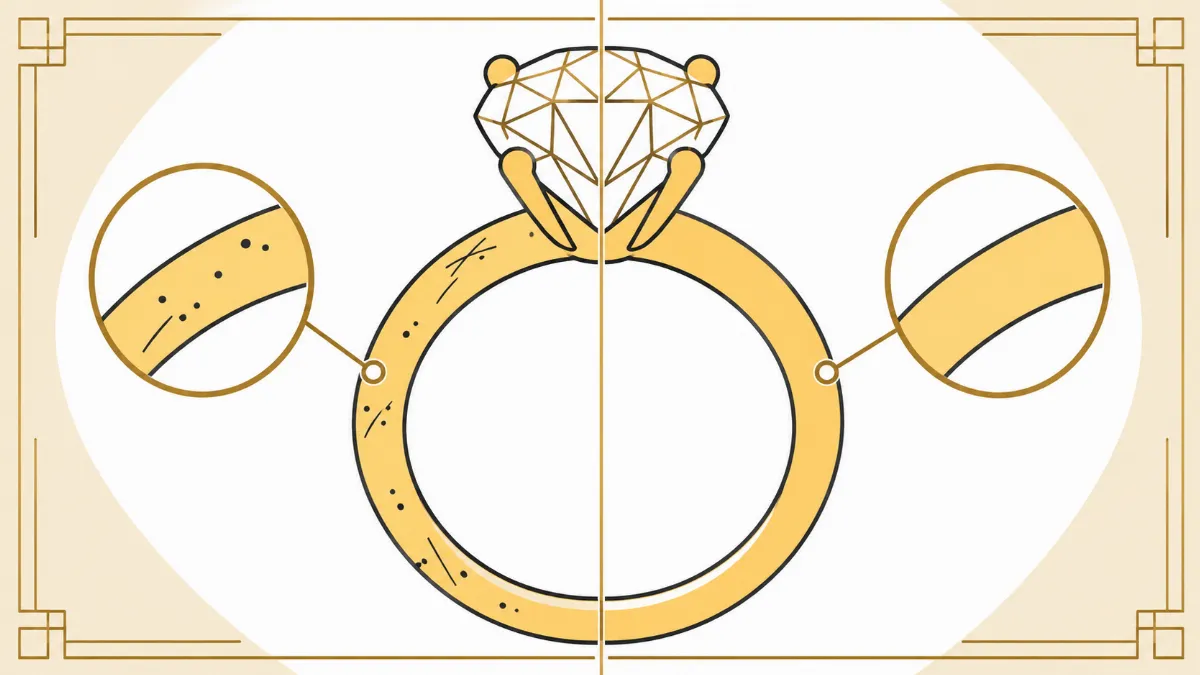
However, photographing jewelry is not always easy. Polished gold and silver can reflect surrounding objects, diamonds may appear unclear, and small dust particles can become noticeable in close-up photographs.
Fortunately, you do not always need a computer to improve your jewelry images.
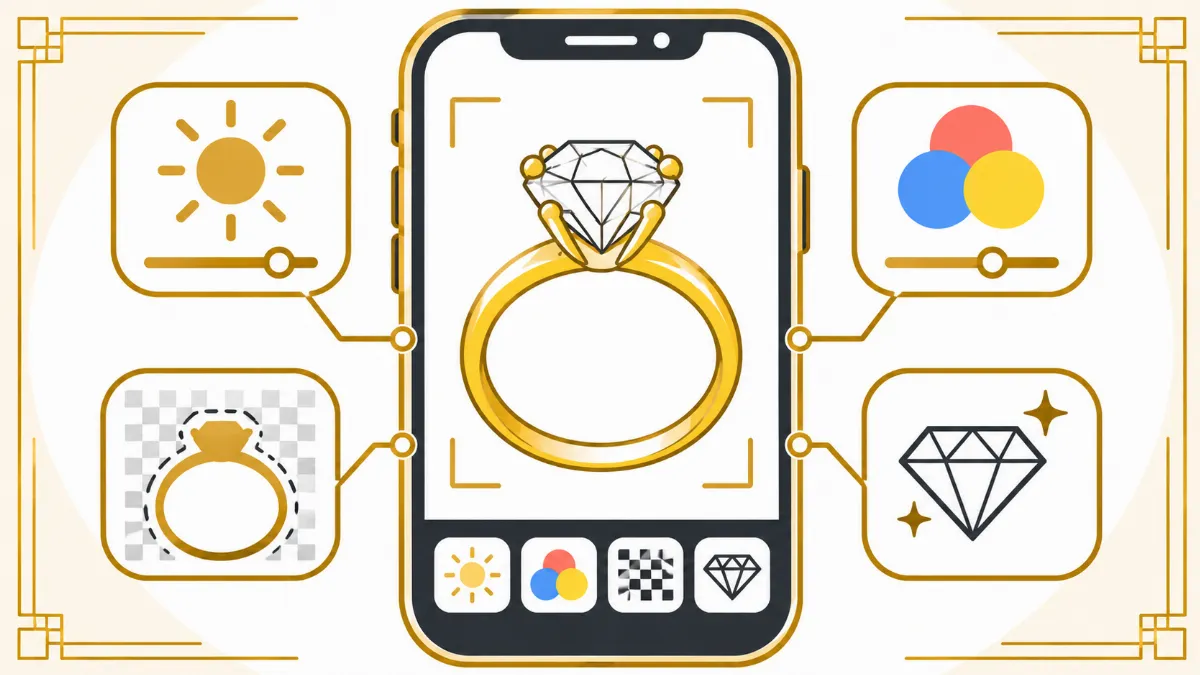
Today, several mobile photo editing applications offer tools for adjusting colors, cleaning backgrounds, correcting lighting, and improving product photographs directly from a smartphone.
Some apps focus on professional color correction, while others specialize in background removal, object cleanup, and social media design.
The challenge is choosing the right application for your jewelry editing needs.
The best apps for editing jewelry photos on your phone include Adobe Lightroom, Snapseed, Photoroom, Picsart, and Canva. Each offers different features that can help jewelry sellers, photographers, and small business owners prepare images for online use.
In this guide, we will compare these applications, explain their editing features, discuss their advantages and limitations, and share practical tips for improving jewelry photographs using your phone.
Why Do You Need Jewelry Photo Editing Apps?
Jewelry photography requires careful attention to lighting, color accuracy, and small product details.
Even when jewelry is photographed using a good smartphone camera, the finished image may contain imperfections.
For example, a gold ring may appear too orange because of warm lighting. A silver bracelet may contain unwanted dark reflections, while a diamond necklace may look slightly unclear.
Mobile jewelry photo editing apps help correct some of these problems.
They allow users to adjust brightness, contrast, white balance, sharpness, and other visual settings without transferring photographs to a desktop computer.
Some applications also offer automatic background removal, which is useful for online jewelry stores.
For small businesses, mobile editing can be convenient when preparing product listings or social media posts.
However, phone editing has limitations. Detailed metal reflection cleanup, complex gemstone retouching, and precise restoration of small jewelry components may require desktop software and professional editing experience.
The best approach is to choose an application based on the editing requirements of each photograph.
5 Best Apps for Editing Jewelry Photos on Your Phone
The following applications offer useful tools for jewelry photo editing. Each serves a different purpose, from basic image correction to product background preparation.
App Best For Main Advantage
Adobe Lightroom Color and lighting correction Detailed tonal adjustments and masking
Snapseed Free photo editing Selective editing and healing tools
Photoroom Background removal Fast product background cleanup
Picsart Creative product editing Background tools, effects, and layouts
Canva Jewelry marketing graphics Templates and social media design
App features and free-versus-paid access can change by device, version, and subscription.
1. Adobe Lightroom: Best for Jewelry Color Correction
Adobe Lightroom
Best for: Gold and silver color accuracy, exposure adjustments, and consistent product editing.
Official Lightroom mobile website
Adobe Lightroom is one of the most useful applications for editing jewelry photographs on a smartphone.
It provides detailed controls for exposure, contrast, highlights, shadows, color temperature, and saturation.
These adjustments are particularly helpful when photographing reflective jewelry materials.
For example, yellow gold may appear too warm under certain lighting conditions. Lightroom allows users to adjust the white balance and color settings to bring the photograph closer to the actual metal color.
The application also provides masking tools that allow users to adjust selected areas without changing the entire image.
Adobe+1
Useful Lightroom Features for Jewelry Editing
Exposure Adjustment: Corrects photographs that appear too dark or too light. This is useful when photographing silver jewelry against a white background.
White Balance: Helps correct unwanted color casts caused by artificial lighting.
Highlights and Shadows: Provides more control over bright reflections and darker areas.
Color Mixer: Allows targeted adjustments to color ranges, helping maintain accurate gold and gemstone colors.
Masking Tools: Allow users to adjust selected areas, such as a ring band or background, separately.
Detail Controls: Help improve the appearance of existing fine details through sharpening and noise reduction.
Advantages
Lightroom is suitable for photographers who want greater control over color and lighting.
It is also useful when editing multiple jewelry photographs taken under similar lighting conditions.
Users can develop a consistent editing style for their product collections.
Limitations
Lightroom is not a complete replacement for detailed jewelry retouching in Photoshop.
Complex metal reflection cleanup, intricate background masking, and individual gemstone corrections may require more precise tools.
Some advanced mobile features also require a paid subscription or compatible hardware.
Best use: Editing jewelry photographs that already have good focus and clean surfaces but need more accurate colors, exposure, and tonal adjustments.
2. Snapseed: Best Free App for Jewelry Photo Editing
Snapseed
Best for: Beginners, small jewelry sellers, and photographers looking for free editing tools.
Snapseed on Google Play
Snapseed is a mobile photo editing application developed by Google.
It provides numerous editing tools without requiring users to purchase a subscription, according to its Google Play listing.
The application includes selective adjustments, healing, white balance, curves, sharpening, and support for certain RAW image formats.
Apps on Google Play+1
For jewelry photography, Snapseed is useful because it allows users to correct individual areas of a photograph.
For example, if one section of a gold ring appears darker than the surrounding metal, selective adjustments can help balance the brightness.
Useful Snapseed Features for Jewelry Editing
Healing Tool: Helps remove small dust particles, distracting spots, and minor background imperfections.
Selective Adjustments: Allow users to modify brightness, contrast, and saturation in specific areas.
Details Tool: Can improve the appearance of fine jewelry details through controlled sharpening and structure adjustments.
White Balance: Helps correct unwanted yellow, blue, or green color casts.
Curves: Provide more detailed control over tonal contrast.
Brush Tool: Allows localized changes to exposure, saturation, and temperature.
Advantages
One of Snapseed's biggest advantages is its accessibility.
It provides a practical collection of editing tools for users who do not want to invest in professional software immediately.
The interface also makes it possible to perform common adjustments directly on a phone.
For example, a small jewelry seller can photograph a bracelet, correct the white balance, remove a few dust spots, and prepare the image for a product listing.
Limitations
Snapseed's healing tool may struggle with complicated jewelry surfaces.
Removing a dark reflection near a gemstone or prong may produce unnatural results if the surrounding details are complex.
Users should also avoid applying excessive structure or sharpening because this can make gemstone facets and metal textures appear artificial.
Best use: Basic jewelry photo cleanup, selective brightness correction, and small adjustments to product photographs.
3. Photoroom: Best for Jewelry Background Removal
Photoroom
Best for: Removing jewelry photo backgrounds and preparing e-commerce product images.
Official Photoroom website
Photoroom is a product photography editing application that focuses heavily on background removal and image preparation.
It is particularly useful for jewelry sellers who need clean product photographs for online stores.
For example, a necklace photographed on a table may have an uneven or distracting background.
Photoroom can automatically isolate the jewelry, allowing the user to place it against a cleaner background.
Its background removal workflow is available on mobile devices, including iOS and Android.
Photoroom Help Center+1
Useful Photoroom Features for Jewelry Editing
Automatic Background Removal: Separates the jewelry from the original background.
Background Replacement: Allows users to place jewelry against a different background color or design.
Product Image Layouts: Helps prepare images for online stores and promotional content.
Image Export: Allows users to save completed product photographs for use on websites and other platforms.
Advantages
Photoroom can save time when preparing product photographs with simple backgrounds.
For example, a jewelry store selling hundreds of rings may need consistent white-background images.
Instead of manually removing every background, the business can use automatic removal as a starting point.
The application is especially useful for sellers who frequently update product listings.
Limitations
Automatic background removal is not always accurate around delicate jewelry details.
Thin necklace chains, small openings, transparent gemstones, and reflective edges can confuse automated selection tools.
Users should inspect the result carefully to ensure that no jewelry components have been removed or distorted.
Some export options and advanced features may also depend on the subscription plan.
Best use: Preparing clean jewelry product backgrounds for online stores and marketplace listings.
4. Picsart: Best for Creative Jewelry Photo Editing
Picsart
Best for: Jewelry social media content, promotional images, and creative backgrounds.
Official Picsart photo editor
Picsart is a mobile editing application that combines photo correction tools with creative design features.
It can be useful for jewelry businesses that want to prepare promotional photographs for social media.
For example, a jewelry seller may want to place a ring against a different background, add promotional graphics, or create an image for an upcoming product collection.
Picsart offers background removal, object removal, filters, resizing, and other editing tools.
Picsart+1
Useful Picsart Features for Jewelry Editing
Background Removal: Helps separate jewelry from distracting surroundings.
Object Removal: Can remove certain unwanted elements from a photograph.
Photo Adjustments: Allow users to modify brightness, contrast, saturation, and other settings.
Filters and Effects: Provide creative options for marketing photographs.
Text and Graphic Elements: Help businesses prepare jewelry advertisements and social media posts.
Advantages
Picsart is useful for creating promotional content without switching between several design applications.
A jewelry business can edit a product photograph and then use the same application to prepare a promotional graphic.
This makes it convenient for social media marketing.
Limitations
Some creative effects can change the appearance of jewelry.
Strong filters may alter gold colors, gemstone tones, or natural metal reflections.
For commercial product listings, these changes can misrepresent the actual product.
Picsart is therefore better suited to creative marketing layouts than detailed, precision-focused jewelry retouching.
Best use: Creating jewelry promotional graphics, social media advertisements, and product announcements.
5. Canva: Best for Jewelry Marketing and Product Graphics
Canva
Best for: Jewelry promotional designs, product collages, and social media layouts.
Official Canva website
Canva is primarily a graphic design application, but it also provides useful photo editing features.
For jewelry businesses, Canva is particularly helpful when preparing marketing materials.
For example, a jewelry store can use Canva to create product announcement graphics, promotional banners, Instagram posts, and catalog layouts.
The application also provides a background removal feature on supported paid plans.
Canva Help Center
Useful Canva Features for Jewelry Editing
Photo Adjustments: Help modify basic image appearance.
Background Removal: Allows users to isolate jewelry for graphic designs.
Templates: Provide layouts for advertisements, product announcements, and social media content.
Text and Design Elements: Allow businesses to add pricing, product information, and promotional messages.
Export Options: Help prepare graphics for different marketing platforms.
Advantages
Canva is easy to use for creating consistent jewelry marketing materials.
Businesses can develop a recognizable visual style by using similar fonts, colors, and layouts across their promotional content.
It is also useful for combining several jewelry photographs into a single graphic.
Limitations
Canva is not designed for detailed gemstone retouching or advanced metal reflection correction.
Its photo editing tools are more suitable for basic adjustments and graphic design.
For detailed jewelry cleanup, another editing application or professional retouching software may be necessary.
Best use: Preparing jewelry marketing graphics after the original product photograph has already been edited.
How to Edit Jewelry Photos on Your Phone: Step-by-Step Guide
Editing jewelry photographs on a smartphone becomes easier when you follow a consistent process.
The following workflow can be used with several of the applications discussed above.
Step 1: Start With a Clear Jewelry Photograph
Before editing, make sure the original photograph has good focus and controlled lighting.
Clean the jewelry to remove visible dust and fingerprints.
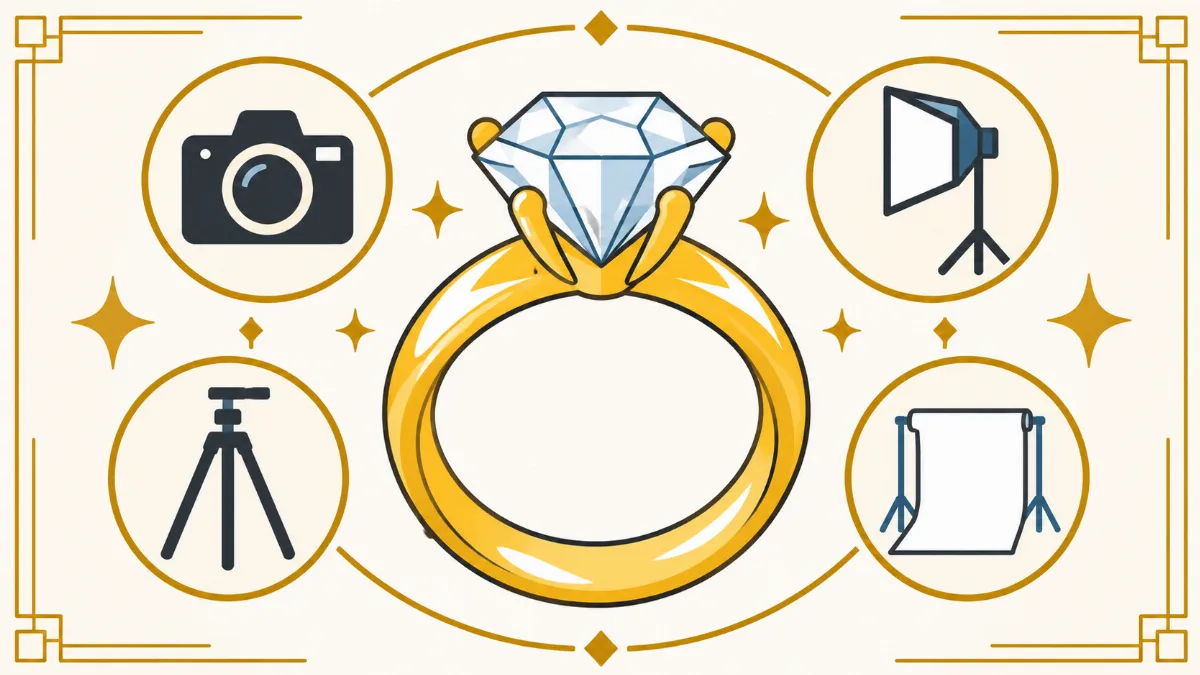
Use a stable surface or smartphone tripod to reduce camera movement.
When photographing rings or gemstones, tap the screen to focus on the most important part of the product.
Avoid excessive digital zoom because it can reduce image quality.
Step 2: Correct the Lighting
Open the photograph in Lightroom or Snapseed.
Adjust the exposure if the image appears too dark or too light.
Reduce excessive highlights when bright reflections hide important details.
Adjust shadows carefully to improve the visibility of darker areas.
Avoid making the entire image excessively bright because this can remove natural contrast from the jewelry.
Step 3: Adjust the Jewelry Colors
Use the white balance controls to correct unwanted color casts.
For example, yellow gold should maintain its natural warmth without becoming excessively orange.
Silver should retain a neutral metallic appearance rather than looking blue or yellow.
When editing gemstones, avoid changing the actual stone color.
Color accuracy is especially important for jewelry product listings.
Step 4: Remove Small Dust Spots
Use a healing or object removal tool to clean minor imperfections.
Zoom in to inspect the jewelry surface.
Remove temporary dust particles, fingerprints, or distracting marks where the tool can do so accurately.
Avoid removing intentional engravings, permanent textures, or gemstone characteristics.
For complicated reflections, manual desktop retouching may be safer.
Step 5: Improve Existing Details
Apply a small amount of sharpening if the photograph looks slightly soft.
Focus on existing edges, gemstone facets, and metal details.
Do not apply excessive sharpening because it may create unwanted outlines or artificial textures.
Remember that sharpening cannot reliably restore details missing from a severely blurred photograph.
Step 6: Clean the Background
If the photograph has a distracting background, consider using Photoroom or another background removal tool.
Choose a clean background that complements the jewelry.
White and neutral backgrounds are common choices for online product listings.
After removing the background, inspect delicate chains, gemstone edges, and small openings to make sure they remain intact.
Step 7: Export the Final Photograph
Save the completed photograph using a suitable file format.
JPEG is commonly used for product photographs, while PNG can be useful when transparency is required.
Use the image dimensions recommended by your website or marketplace.
Keep an original copy of the photograph in case additional editing is needed later.
Common Mistakes When Editing Jewelry Photos on a Phone
Mobile photo editing apps can produce useful results, but incorrect adjustments may reduce image quality.
One common mistake is excessive sharpening.
Strong sharpening can create unnatural outlines around gemstones and metal edges. Instead of improving the photograph, it may make the jewelry appear artificial.
Another mistake is changing the jewelry's actual color.
For example, increasing saturation too much can make yellow gold look orange or make gemstones appear more colorful than they really are.
Background removal can also cause problems.
Automatic tools sometimes remove small necklace chains, distort ring edges, or create visible artifacts around gemstones.
Users should inspect the image carefully before publishing it.
Overusing filters is another common issue.
Creative filters may look attractive on social media, but they can change the appearance of the actual product.
For jewelry product listings, accurate representation should take priority over dramatic effects.
Can Mobile Apps Replace Professional Jewelry Photo Retouching?
Mobile photo editing applications are useful for basic adjustments, but they cannot always replace professional jewelry retouching.
Professional jewelry photographs often contain complicated reflections, small gemstones, intricate metal structures, and detailed surface textures.
Correcting these elements may require precise masking, manual cloning, and detailed quality inspection.
Desktop applications such as Adobe Photoshop generally provide more control for these tasks.
For example, a ring containing several unwanted black reflections may require careful manual editing to preserve the original metal texture.
A mobile healing tool might remove the reflection but accidentally change nearby prongs or gemstone edges.
Professional retouching is particularly useful when preparing luxury jewelry catalogs, high-resolution advertisements, or large collections of product photographs.
However, mobile applications remain practical for simple editing tasks, quick product updates, and social media content.
The best option depends on the complexity of the photograph and the required final quality.
Tips for Taking Better Jewelry Photos With Your Phone
Good photography reduces the amount of editing required afterward.
Start by cleaning the jewelry carefully before photographing it.
Use soft, controlled lighting to reduce distracting reflections.
Avoid placing jewelry directly under harsh lighting that creates excessively bright spots.
Choose a clean background that does not compete with the product.
For rings and earrings, a neutral background can help keep attention on the jewelry.
Use a smartphone tripod or stable support to reduce camera movement.
If your phone supports macro photography, test it to determine the best focusing distance.
Avoid getting too close when the camera cannot maintain sharp focus.
Take several photographs from different angles so customers can examine the product's design.
For detailed jewelry, photograph the front, side, back, and clasp or setting when appropriate.
Finally, review the images at full resolution before editing.
A well-photographed jewelry product usually requires fewer corrections and produces more reliable results.
Which Jewelry Photo Editing App Should You Choose?
The best application depends on the type of editing you need.
If your main concern is inaccurate gold or silver colors, Adobe Lightroom is a strong option because of its detailed color and exposure controls.
If you want a free application for basic cleanup and selective adjustments, Snapseed is a practical choice.
For removing backgrounds from jewelry product photographs, Photoroom is worth considering.
Picsart is useful for creative jewelry advertisements and promotional content.
Canva is particularly helpful for preparing finished jewelry graphics for websites and social media.
Some businesses may benefit from using more than one application.
For example, a jewelry seller could correct colors in Lightroom, remove the background in Photoroom, and prepare an advertisement in Canva.
However, repeated exports can reduce image quality, especially when images are saved using lossy compression.
Whenever possible, work from high-quality originals and minimize unnecessary conversions.
Frequently Asked Questions About Jewelry Photo Editing Apps
What is the best free app for editing jewelry photos?
Snapseed is a strong free option for jewelry photo editing. It includes tools for adjusting brightness, contrast, white balance, sharpening, and localized corrections. It is suitable for basic jewelry photo cleanup and product image adjustments.
Can I edit diamond photos using my phone?
Yes. Mobile applications can improve exposure, color balance, contrast, and the visibility of existing diamond details. However, they should not be used to invent gemstone facets or change the diamond's actual appearance.
Which app is best for removing jewelry photo backgrounds?
Photoroom is a useful option for automatic background removal. It can help prepare jewelry photographs for online product listings. Users should inspect delicate chains, gemstones, and reflective edges after removing the background.
Is Lightroom better than Snapseed for jewelry editing?
Lightroom generally provides more extensive controls for color correction, tonal adjustments, and masking. Snapseed is useful for free editing and quick localized adjustments. The better choice depends on the photograph and the user's editing experience.
Can I use Canva to edit jewelry product photographs?
Yes. Canva can handle basic photo adjustments, background removal on supported plans, and graphic design. However, it is better suited to marketing layouts than detailed jewelry retouching.
Do I need professional jewelry retouching if I already use mobile apps?
Not necessarily. Mobile applications may be sufficient for clean photographs requiring simple adjustments. Professional retouching becomes more useful when images contain complicated reflections, intricate gemstones, or detailed commercial editing requirements.
Final Thoughts
Mobile photo editing applications make it easier for jewelry sellers, photographers, and small businesses to prepare product photographs without relying entirely on desktop software.
Adobe Lightroom is useful for color and lighting correction, Snapseed provides accessible editing tools, Photoroom specializes in background removal, Picsart supports creative photo editing, and Canva helps prepare marketing graphics.
Each application has advantages and limitations.
For simple jewelry photographs, mobile editing can be a convenient and affordable option.
However, complex metal reflections, intricate gemstone details, and high-end commercial images may still require professional jewelry retouching.
The most important goal is to maintain the jewelry's original design, color, proportions, and natural appearance.
By choosing suitable editing tools and following a careful workflow, jewelry businesses can prepare cleaner product photographs for online stores, catalogs, and social media.
Need more detailed jewelry photo editing? Professional jewelry retouching services can help clean metal surfaces, correct unwanted reflections, refine existing details, and prepare consistent product images for commercial use.