
# Photo Editing Before and After: What's Actually Possible?
Have you ever seen a before-and-after photo editing comparison and wondered how the editor achieved such a dramatic difference?
Maybe you saw a dark portrait become clearer, a jewelry photograph lose distracting reflections, or a product image change from a messy background to a clean white one.
These comparisons can make photo editing look almost magical. However, not every photograph can be corrected to the same extent.
Some images only require simple adjustments to exposure, colors, and composition. Others need detailed manual retouching, background cleanup, or more advanced editing techniques.
There are also situations where a photograph cannot be fully repaired because important image information was never recorded.
So, **what is actually possible with photo editing before and after?**
Professional photo editing can improve lighting, correct colors, remove unwanted distractions, clean backgrounds, refine product details, and improve the appearance of portraits. However, results depend on the original image quality and the type of correction required.
For example, a slightly dark photograph may contain enough recorded information to recover useful shadow details. But an extremely blurry photograph may not contain enough detail to restore an accurate, naturally sharp image.
In this guide, we will explore what photo editing can realistically accomplish, which corrections produce noticeable before-and-after results, and which changes require careful consideration.
We will also explain the difference between basic corrections, professional retouching, and AI-assisted editing.
If you are a photographer, online seller, business owner, or someone interested in photo editing, this guide will help you establish realistic expectations before starting a project.
What Does Before-and-After Photo Editing Mean?
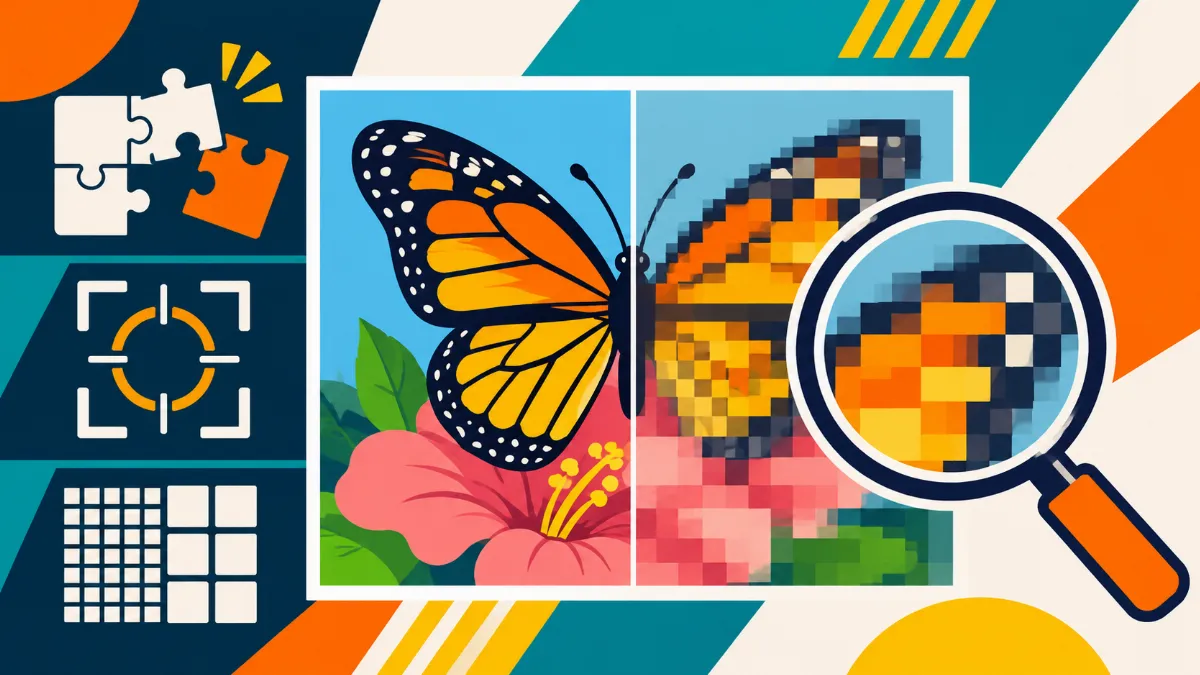
Before-and-after photo editing refers to comparing an original photograph with its edited version.
The original image shows how the photograph appeared before post-production.
The edited version demonstrates the corrections that were applied.
These comparisons are commonly used by photographers and professional editing companies to show their work.
For example, a jewelry photo retouching portfolio may show a ring with unwanted black reflections beside a corrected version with cleaner metal surfaces.
A portrait editing comparison may show the original exposure beside an image with corrected lighting and minor skin cleanup.
A real estate photograph may demonstrate how exposure balancing improves the visibility of an interior room.
Before-and-after comparisons are useful because they show the actual editing process rather than presenting only the finished photograph.
However, the comparison should be fair.
Both images should represent the same original photograph, and any major compositing or generated changes should be explained clearly.
Why Are Before-and-After Photos Important?
Before-and-after photographs provide a visual way to evaluate editing quality.
They help customers, photographers, and business owners see which improvements are possible.
Show the Difference Editing Can Make
Some corrections may look small when viewed individually.
However, several careful adjustments can improve the overall presentation of an image.
For example, correcting white balance, improving exposure, and cleaning small background marks may make a product photograph look more consistent and professional.
Help Evaluate Professional Editing Services
If you are hiring a photo editor, before-and-after samples allow you to examine their editing techniques.
You can check if product colors remain accurate, if edges look clean, and if important details are preserved.
Establish Realistic Expectations
Before-and-after comparisons can show the kind of correction that a provider regularly performs.
However, a sample result does not guarantee that every image can be edited in exactly the same way.
Demonstrate Different Editing Levels
A photograph may receive basic color correction, moderate retouching, or extensive image manipulation.
Comparisons help explain the difference between these services.
1. Can Photo Editing Fix Dark Photographs?
Yes. Many dark photographs can be improved through exposure correction.
This is one of the most common and useful photo editing techniques.
For example, imagine taking a portrait indoors without enough light.
The person's face may appear darker than expected, making facial details difficult to see.
An editor can adjust exposure and shadows to improve visibility.
What Can Be Corrected?
Exposure adjustments can help with:
- Underexposed portraits
- Dark product photographs
- Indoor real estate images
- Low-light wedding photographs
- Uneven lighting
- Shadow details
Applications such as Adobe Lightroom and Photoshop provide tools for exposure correction.
Editors can also use selective masks to improve lighting in specific areas.
What Are the Limitations?
Not every dark photograph contains enough recoverable information.
If the original image is severely underexposed, increasing brightness may reveal significant noise or color artifacts.
Some shadow details may also be missing.
RAW images generally provide more flexibility for exposure correction than heavily processed JPEG files.
**Realistic expectation:** Photo editing can make many dark photographs clearer, but it cannot guarantee accurate recovery of details that were never recorded.
2. Can Photo Editing Fix Overexposed Images?
Overexposure occurs when parts of a photograph receive too much light.
This can make important areas appear excessively white.
For example, a wedding dress photographed in strong sunlight may lose visible fabric details.
A product with reflective packaging may also contain excessively light areas.
What Can Be Improved?
Editors can reduce highlights, adjust exposure, and refine tonal contrast.
If the original file contains usable highlight information, some details may become more visible.
Selective masks can help correct specific areas without darkening the entire photograph.
What Cannot Be Fully Recovered?
If an area is completely clipped, the original texture may no longer exist in the recorded image.
For example, if the white fabric of a wedding dress contains no visible tonal information, ordinary editing cannot accurately reconstruct every missing fold.
AI tools may generate plausible details, but those details are not necessarily faithful to the original product or scene.
**Realistic expectation:** Highlight correction can improve many overexposed photographs, but completely missing details cannot always be recovered accurately.
3. Can Photo Editing Correct Wrong Colors?
Yes. Color correction is one of the most effective ways to improve photographs.
Cameras may record colors differently depending on lighting, white balance, and other factors.
For example, a white shirt photographed under warm indoor lights may look yellow.
A silver necklace may appear slightly blue because of the surrounding lighting.
Photo editing can help correct these color casts.
Common Color Corrections
Professional editors can adjust:
- White balance
- Color temperature
- Tint
- Saturation
- Individual color channels
- Skin tones
- Background colors
- Product color consistency
Before-and-After Example
Imagine a photograph of a cream-colored handbag.
In the original image, the handbag appears yellow because of warm lighting.
After color correction, the photograph more accurately represents the actual cream color.
This is particularly useful for online sellers because product colors should closely resemble the items customers receive.
Important Limitation
Editing cannot guarantee identical color appearance on every screen.
Different displays, brightness settings, and color profiles influence how photographs appear.
For commercial work, reference images and appropriate color management can help improve consistency.
**Realistic expectation:** Photo editing can correct many unwanted color casts, but accurate product colors depend on reliable references and the original image.
4. Can Photo Editing Remove Unwanted Backgrounds?
Yes. Background removal is one of the most common professional photo editing services.
An editor can isolate a subject and remove or replace the surrounding background.
For example, a pair of shoes photographed on a table can be separated from the original setting and placed against a white background.
This technique is widely used in e-commerce photography.
What Background Editing Can Do
Background editing can help create:
- White product backgrounds
- Transparent backgrounds
- Consistent catalog images
- Cleaner portrait backgrounds
- Lifestyle product compositions
- Promotional graphics
How Is Background Removal Done?
Editors may use clipping paths, selection tools, layer masks, or AI-assisted background removal.
Simple products with clearly defined edges are often easier to isolate.
More complicated subjects may require manual work.
Difficult Background Removal Cases
Fine hair, fur, lace, transparent glass, and delicate jewelry chains can be challenging.
These subjects have complex boundaries that require careful attention.
A rushed background removal process may create rough edges or accidentally remove product details.
**Realistic expectation:** Most backgrounds can be removed, but complex edges and transparent materials may require additional manual retouching.
5. Can Photo Editing Remove People or Objects?
Yes. Many unwanted objects can be removed from photographs.
For example, you may want to remove a small piece of litter from a landscape photograph or a distracting cable from a product image.
Professional editors use healing tools, cloning, masking, and other techniques to correct these areas.
Simple Object Removal
Small objects against plain backgrounds are usually easier to remove.
For example, removing a small wall mark from a portrait background may require relatively little work.
Complex Object Removal
Large objects can be more difficult, especially when they cover important details.
For example, removing a person standing in front of a building requires replacing the area that was hidden behind them.
If the original photograph does not contain that information, the editor must reconstruct or generate it.
Accuracy Concerns
For personal or creative images, reconstructed backgrounds may be acceptable.
However, photographs used for journalism, documentation, real estate listings, or commercial product representation may require stricter accuracy.
Changes should not mislead viewers about important facts.
**Realistic expectation:** Many distractions can be removed, but replacing large hidden areas may require reconstruction rather than true detail recovery.
6. Can Photo Editing Fix Blurry Pictures?
This is one of the most common questions about photo editing.
The answer depends on the type and severity of the blur.
A photograph may appear soft because of mild focus problems, motion blur, image compression, or resizing.
Some types of softness can be improved.
Mild Blur and Softness
Sharpening tools can increase the apparent definition of recorded edges.
Modern software may also offer deblurring features that estimate missing information.
These techniques can improve the visual appearance of certain photographs.
Severe Motion Blur
If the camera or subject moved significantly during exposure, important details may be smeared across the image.
Ordinary sharpening cannot restore every missing feature.
Out-of-Focus Images
If the camera focused on the background instead of the subject, the subject may contain insufficient detail for accurate restoration.
AI-based tools may generate a plausible sharper appearance, but they can also change facial features, product textures, or other fine details.
What Is the Best Solution?
If a photograph is severely blurred and accuracy matters, taking another photograph is often the better option.
**Realistic expectation:** Mild softness can often be improved. Severe blur cannot always be repaired accurately.
7. Can Photo Editing Improve Skin Without Making It Look Fake?
Yes. Professional portrait retouching can improve skin presentation while preserving natural texture.
This is particularly useful for headshots, beauty portraits, wedding photographs, and commercial photography.
Common Portrait Corrections
Portrait editors may remove temporary blemishes, reduce distracting shine, correct uneven lighting, and clean stray hairs.
These adjustments can make a portrait look more polished.
What Should Be Preserved?
Natural skin contains pores, fine lines, texture, and color variation.
Removing all these characteristics can create an artificial appearance.
Professional retouching should maintain recognizable facial features and natural expressions.
Before-and-After Example
Imagine a professional headshot with a temporary blemish and slightly uneven lighting.
The edited photograph may show the blemish reduced and facial lighting corrected while retaining the original skin texture.
This provides a cleaner appearance without changing who the person is.
**Realistic expectation:** Portrait retouching can reduce distractions and improve lighting without making skin look plastic or altering facial identity.
8. Can Photo Editing Whiten Teeth and Correct Red Eyes?
Yes. These are common portrait corrections.
Red-eye removal is useful when camera flash creates a reddish appearance in the pupils.
Dedicated editing tools can correct this effect while preserving the person's natural eye color.
Teeth whitening can reduce unwanted yellow color casts.
However, natural teeth are not always perfectly white.
Excessive whitening may make a smile appear unnatural.
What About Eye Sharpening?
Editors can apply selective sharpening to improve the apparent clarity of recorded eye details.
However, strong sharpening can create artificial-looking outlines.
The goal is to improve visibility while maintaining realistic details.
**Realistic expectation:** Red-eye removal and subtle teeth whitening can improve portraits, but excessive adjustments often look artificial.
9. Can Photo Editing Change Clothing Colors?
Yes. Clothing color changes are possible through selective color editing.
For example, an online clothing seller may photograph a shirt and want to demonstrate several available color options.
Editors can isolate the fabric and adjust its color.
What Makes Clothing Recoloring Difficult?
Fabric has texture, folds, seams, stitching, and lighting variations.
These details should remain visible after recoloring.
For example, changing a blue sweater to red should not remove its knitted pattern.
Can Every Color Be Changed?
Some color changes are easier than others.
Changing a light-colored garment to a darker color may be relatively straightforward.
Changing a black garment to a very light color can be more difficult because the original photograph may lack useful tonal and texture information.
For commercial listings, any simulated color variation should accurately represent a real product option.
**Realistic expectation:** Clothing colors can be changed, but accurate results depend on the source image and reliable references for the intended color.
10. Can Photo Editing Remove Clothing Wrinkles?
Yes. Minor wrinkles and distracting fabric folds can be reduced.
This is useful for fashion photography, apparel catalogs, and commercial portraits.
For example, a shirt photographed on a model may contain a distracting crease caused by the way the fabric was arranged.
An editor can reduce the appearance of that crease using localized corrections.
What Should Remain Unchanged?
Natural fabric folds communicate how clothing fits and moves.
Removing every wrinkle can make a garment look artificial.
Editors should preserve fabric texture, seams, stitching, and the original clothing structure.
When Is Reshooting Better?
If the garment is badly positioned or heavily wrinkled, correcting everything digitally may be time-consuming.
Proper steaming, styling, and preparation before photography may produce a better result.
**Realistic expectation:** Selected wrinkles can be reduced, but photo editing should not change the actual garment design or fit.
11. Can Photo Editing Improve Jewelry Photographs?
Yes. Jewelry photo editing can produce noticeable before-and-after improvements.
Jewelry photography presents specific challenges because polished metals and gemstones interact strongly with their surroundings.
A ring may contain unwanted dark reflections, small dust marks, or uneven background tones.
These problems can distract from the product.
What Professional Jewelry Editing Can Do
Jewelry retouching can include:
- Removing distracting dark reflections
- Cleaning dust and surface marks
- Correcting metal colors
- Improving background consistency
- Refining recorded gemstone details
- Cleaning metal edges
- Adjusting local exposure and contrast
Before-and-After Jewelry Example
Imagine a yellow-gold diamond engagement ring.
The original photograph contains small black reflections on the shank and distracting marks near the setting.
After retouching, the ring has cleaner metal surfaces, controlled reflections, and clearer visible gemstone details.
However, the original ring design remains unchanged.
What Should Not Be Changed?
The editor should preserve the actual gemstone cut, prongs, metal thickness, engravings, dimensions, and overall structure.
For accurate product photography, inventing additional stones or changing the ring shape is not appropriate.
**Realistic expectation:** Jewelry retouching can improve presentation significantly while preserving the original product design.
12. Can Photo Editing Improve Real Estate Photography?
Yes. Real estate photo editing can improve exposure, color balance, and architectural presentation.
Interior photography often contains difficult lighting conditions.
For example, a living room may be darker than the outdoor view through its windows.
An editor may use exposure balancing to improve both areas.
Common Real Estate Corrections
Real estate editing can include exposure adjustment, white balance correction, perspective correction, and minor distraction cleanup.
Can Editors Replace the Sky?
Sky replacement is technically possible.
However, the result should be appropriate for the image's intended use, and commercial listings should follow applicable advertising rules.
Can Photo Editing Make a Room Look Larger?
Perspective correction can improve distorted vertical lines.
However, stretching a room or altering its proportions can misrepresent the property.
**Realistic expectation:** Real estate editing can improve visibility and presentation, but the photograph should remain an accurate representation of the property.
13. Can Photo Editing Improve Low-Resolution Images?
Sometimes.
Image upscaling tools can increase pixel dimensions and improve apparent sharpness.
However, increasing the number of pixels does not automatically restore genuine details.
For example, a small product image may appear smoother after upscaling, but the original file may not contain enough information to reveal fine stitching accurately.
Traditional Upscaling
Traditional resizing methods estimate new pixels based on surrounding image data.
These methods can enlarge an image but may produce softness.
AI Upscaling
AI-assisted upscaling can generate plausible details.
However, generated details may not exactly match the original subject.
This matters when editing commercial products, logos, text, and important identifying features.
**Realistic expectation:** Upscaling can make small images more suitable for certain displays, but it cannot guarantee accurate reconstruction of missing details.
14. Can Photo Editing Remove Noise From Dark Images?
Yes. Noise reduction can improve certain low-light photographs.
Image noise often appears as grain or random colored speckles.
It becomes particularly noticeable when increasing exposure in dark areas.
What Noise Reduction Can Do
Editing applications can reduce luminance and color noise.
This may produce smoother backgrounds and cleaner tonal areas.
What Are the Limitations?
Aggressive noise reduction may remove fine details from hair, skin, clothing, or products.
For example, excessive smoothing can eliminate the texture of a fabric.
The best result often involves balancing noise reduction and detail preservation.
**Realistic expectation:** Noise can be reduced, but removing all grain may also remove genuine image detail.
15. What Is the Difference Between Photo Correction and Photo Manipulation?
Photo correction focuses on improving an image while preserving the original scene or subject.
Common examples include exposure adjustment, white balance correction, cropping, and minor distraction cleanup.
Photo manipulation involves more substantial changes to image content.
Examples include replacing major background elements, combining different photographs, changing object shapes, and adding elements that were not originally present.
Both approaches have legitimate creative uses.
However, the distinction matters when accuracy is important.
For product photography, editing should not make a product appear to have features it does not possess.
For documentary or news photographs, changing important visual information may mislead viewers.
For creative advertising, extensive manipulation may be acceptable when it is clearly intended as a constructed visual.
Before editing, identify the purpose of the photograph and the degree of alteration permitted.
16. What Can AI Photo Editing Actually Do?
AI-assisted photo editing has expanded the range of automated corrections available to photographers.
Some tools can remove backgrounds, identify subjects, reduce noise, upscale photographs, and generate replacement content.
These tools can reduce manual work for suitable tasks.
However, AI does not necessarily recover the original truth of a photograph.
For example, if part of a necklace is hidden, a generative tool may create a plausible chain section.
But the generated design may not match the actual necklace.
Similarly, AI face restoration may change subtle facial characteristics.
When AI Is Useful
AI can be useful for routine selections, straightforward cleanup, and certain photographic adjustments.
When Manual Editing Matters
Manual review is particularly important for jewelry, clothing, commercial products, confidential photography, and any image where accurate details matter.
**Realistic expectation:** AI can assist with photo editing and generate convincing results, but generated content should not automatically be treated as recovered original detail.
17. How Long Does Before-and-After Photo Editing Take?
Editing time depends on image complexity and the required corrections.
A simple exposure adjustment may take only a few minutes.
Detailed jewelry retouching may require much longer.
The original image quality also affects the time required.
For example, a clean product image with a simple background may be easier to process than a photograph containing complex reflections and transparent materials.
Other factors include:
- Number of images
- Editing requirements
- Background complexity
- Retouching detail
- Original image quality
- File formats
- Quality review
- Revision requests
For larger projects, editors may use batch processing to apply common adjustments.
However, detailed corrections often require individual attention.
Before hiring a professional editor, provide sample images and request a realistic delivery estimate.
18. How Much Does Before-and-After Photo Editing Cost?
Photo editing prices vary depending on the service and provider.
Basic image corrections generally cost less than complicated manual retouching.
For example, simple background removal may require relatively little editing time.
Detailed jewelry retouching may involve numerous localized corrections.
Some providers charge per image.
Others use hourly or project-based pricing.
When requesting a quotation, explain the editing requirements clearly.
Instead of asking for a photograph to look better, describe the exact changes you need.
For example:
"Remove distracting black reflections from the ring, preserve the original gold color, and maintain the exact gemstone arrangement."
Clear instructions help the provider estimate the work more accurately.
You should also ask about turnaround time, revision policies, and additional charges.
19. How to Evaluate Professional Before-and-After Samples
Before hiring an editor, examine examples of their work.
Do not focus only on dramatic differences.
A strong result often preserves natural details while correcting specific problems.
Check Product Accuracy
For jewelry and clothing, verify that the product's original structure remains consistent.
Examine Edges
Background removal should produce clean edges without obvious halos or missing sections.
Compare Colors
Colors should remain natural and accurate.
Review Textures
Skin, fabric, metal, and other surfaces should retain appropriate texture.
Look for Editing Artifacts
Check for repeated patterns, blurred patches, unnatural sharpening, and other signs of careless editing.
Consider the Intended Use
A dramatic creative portrait may be appropriate for artistic work but unsuitable for a professional headshot.
The quality of editing should be judged according to the project's purpose.
20. Tips for Getting Better Before-and-After Results
If you want professional-looking results, start by preparing good source photographs.
Use suitable lighting and proper camera focus.
Clean products before the shoot.
Arrange clothing carefully.
Avoid excessive compression when saving original images.
Next, identify the exact changes you need.
Provide reference photographs when possible.
For commercial editing, describe the details that must remain unchanged.
If you are outsourcing, request a sample edit before sending a large collection.
Finally, review the finished photographs at the intended display size.
A photograph that looks acceptable as a small thumbnail may contain problems when viewed at full resolution.
Good preparation, clear instructions, and careful review are important parts of successful photo editing.
21. When Should You Hire a Professional Photo Editor?
Many simple corrections can be completed independently.
Cropping, exposure adjustment, and basic color correction are accessible to beginners.
However, complicated retouching requires additional skills.
Professional editors may be helpful for:
- Detailed jewelry retouching
- Complex background removal
- High-end portrait corrections
- Ghost mannequin editing
- Clothing retouching
- Real estate photo correction
- Large image collections
- Consistent commercial product photography
Hiring a professional may also be practical when editing takes time away from other business responsibilities.
At **Photo Editing Company**, we provide editing services for jewelry, apparel, e-commerce products, portraits, weddings, real estate, and other photography categories.
Our services include background removal, clipping paths, color correction, product retouching, ghost mannequin editing, and detailed image cleanup.
We work with original files, client instructions, and approved reference images to maintain accurate results.
You can learn more at Photo Editing Company.
Frequently Asked Questions
What Can Photo Editing Fix?
Photo editing can improve exposure, colors, contrast, backgrounds, minor distractions, skin appearance, and recorded image details.
Results depend on the quality of the original photograph.
Can a Bad Photo Be Made Good With Editing?
Some poorly exposed or poorly composed photographs can be improved significantly.
However, severe blur, missing details, and major technical problems may not be fully recoverable.
Can Photo Editing Make Blurry Photos Clear?
Mild softness can often be improved with sharpening or deblurring.
Severe blur may contain insufficient information for accurate restoration.
Can Photo Editors Remove Unwanted People?
Yes. Object removal tools can remove people from certain photographs.
However, large hidden background areas may require reconstruction or generated content.
Can Jewelry Photos Be Retouched Without Changing the Design?
Yes. Professional editors can correct reflections, colors, dust, and other distractions while preserving the original product structure.
Is AI Better Than Manual Photo Editing?
AI can be useful for repetitive or automated tasks.
Manual editing and review remain important when accuracy, consistency, and detailed corrections are required.
How Much Does Professional Photo Retouching Cost?
The cost depends on the number of photographs, editing complexity, and provider.
Request a quotation using representative images and clear instructions.
Can Photo Editing Recover Missing Details?
Not always. If important information was not recorded, software may only estimate or generate replacement details.
Those details may not accurately represent the original subject.
Should Before-and-After Photos Look Completely Different?
Not necessarily.
Some of the best corrections are subtle and maintain the original image's natural appearance.
The appropriate degree of change depends on the project's purpose.
Final Thoughts
Photo editing can make a noticeable difference in photographs, but it is important to know what can realistically be achieved.
Many common problems can be corrected through exposure adjustments, color correction, background cleanup, sharpening, and detailed retouching.
Portraits can receive natural skin corrections.
Jewelry photographs can have distracting reflections reduced.
Clothing photographs can be cleaned while preserving original fabric details.
Real estate images can be adjusted to improve exposure and color balance.
However, editing has limitations.
Severely blurred photographs, completely missing image information, and extreme exposure problems may not be accurately repairable.
Modern AI tools can generate convincing replacement details, but those results may not match the original subject.
For commercial photography, maintaining accurate colors, shapes, and product characteristics is especially important.
When evaluating before-and-after examples, look beyond dramatic differences.
Examine how carefully the editor preserved textures, details, and natural appearance.
**The best photo editing results are not always the most dramatic. They are the ones that improve the photograph while preserving the details that matter.**