# Can AI Photo Editing Tools Replace Professional Editors?
Introduction
Artificial intelligence has changed the photography industry in many ways. Tasks that once required hours of manual editing can now be completed in minutes using AI-powered software. From removing backgrounds and correcting colors to improving image sharpness and removing unwanted objects, AI photo editing tools are becoming increasingly popular among photographers, online sellers, and businesses.
With these developments, one question continues to attract attention: **Can AI photo editing tools replace professional editors?**
The answer is not as simple as yes or no.
AI can handle many routine photo editing tasks, especially when working with large numbers of images that require similar adjustments. However, professional photo editors offer something that automated software cannot always provide: human judgment, creative decisions, attention to small details, and the ability to follow specific client instructions.
For businesses that depend on accurate product photography, such as jewelry stores, fashion retailers, real estate agencies, and e-commerce companies, the difference between AI-generated edits and professional retouching can affect how customers perceive their products.
In this article, we will explore how AI photo editing works, its advantages and limitations, the differences between AI and professional editors, and why combining both approaches may be the best solution for modern photography businesses.
1. What Are AI Photo Editing Tools?
AI photo editing tools are software applications that use artificial intelligence and machine learning to analyze images and perform editing tasks automatically.
Traditional photo editing often requires users to manually select objects, adjust colors, remove imperfections, and refine details. AI-powered tools can identify certain elements in a photograph and apply corrections with less manual work.
Some common AI photo editing features include:
- **Background removal:** Automatically separates a subject from its background.
- **Object removal:** Removes unwanted objects or distractions from photographs.
- **Color correction:** Adjusts exposure, contrast, and color balance.
- **Skin retouching:** Reduces blemishes and adjusts skin appearance.
- **Image sharpening:** Improves the appearance of certain details.
- **Noise reduction:** Reduces unwanted grain or digital noise.
- **Generative editing:** Creates or replaces image content based on written instructions.
Popular tools include Adobe Photoshop, Adobe Lightroom, Luminar Neo, and Canva.
These applications offer features that make photo editing more accessible to beginners and experienced photographers.
However, the quality of AI-generated results depends on the image, the software, and the complexity of the requested changes.
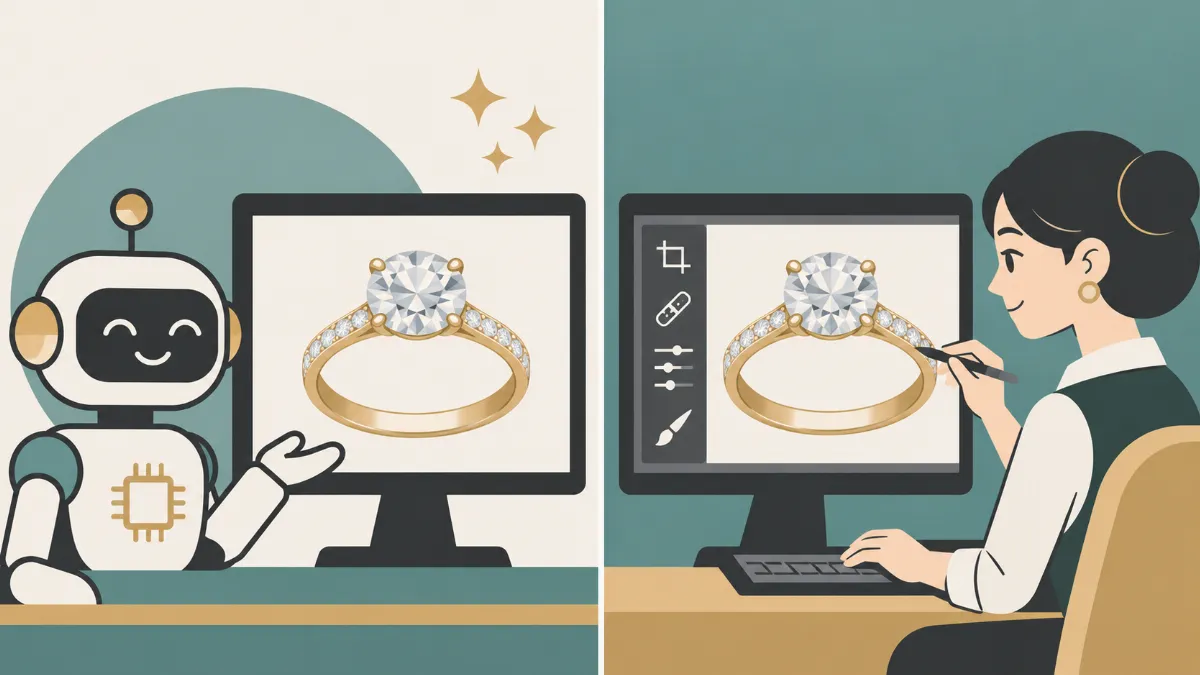
For example, removing a simple background from a product photograph may take only seconds. Editing a diamond ring with complicated reflections, delicate prongs, and multiple gemstones may still require careful manual work.
This difference becomes important when businesses need accurate, consistent, and professional product images.
2. Why Are AI Photo Editing Tools Becoming Popular?
The popularity of AI photo editing is closely connected to the growing demand for digital content.
Online stores, social media platforms, advertising agencies, and photographers regularly work with large collections of images. Editing every photograph manually can take considerable time, especially when deadlines are tight.
AI offers several advantages that make it attractive to businesses.
Faster Editing Processes
Speed is one of the biggest benefits of AI photo editing.
Simple tasks such as background removal, basic color correction, and image resizing can often be completed much faster with automated software.
For example, an online clothing store may need hundreds of product photographs prepared for its website. AI can help apply similar adjustments across multiple images instead of requiring an editor to repeat every action manually.
Lower Costs for Simple Tasks
Some AI photo editing applications offer free features or affordable subscription plans.
For individuals who only need basic editing, these tools may reduce the need to hire an editor for every photograph.
However, businesses should also consider subscription fees, employee time, quality checking, and the cost of correcting inaccurate results.
Easier Access for Beginners
Not everyone has experience using professional editing software.
AI tools allow beginners to perform tasks that previously required knowledge of layers, masking, selections, and other technical editing methods.
This makes photo editing more accessible to small business owners, social media creators, and individuals who want to prepare images quickly.
Automated Bulk Editing
Businesses that handle large image collections can benefit from automated editing workflows.
AI-assisted software can apply similar corrections to multiple photographs, helping teams maintain a more organized production process.
Despite these advantages, automated editing does not guarantee that every image will meet professional quality standards.
3. What Can AI Photo Editing Tools Do Well?
AI performs particularly well when editing tasks are repetitive, clearly defined, and relatively simple.
Background Removal
AI background removal tools can identify people, products, and other subjects, then separate them from their surroundings.
This is useful for e-commerce businesses that need product images on white or transparent backgrounds.
However, complex edges such as fur, transparent glass, jewelry chains, and fine hair may still require manual corrections.
Basic Exposure and Color Adjustments
AI can analyze an image and recommend adjustments to exposure, contrast, highlights, shadows, and white balance.
These features are useful when photographers need a quick starting point for editing.
Still, automatic color adjustments may not always preserve the exact color of a product.
Simple Object Removal
AI tools can remove unwanted objects from photographs and generate replacement content.
For example, a photographer may use AI to remove a distracting object from the background of a lifestyle photograph.
However, generated replacement areas may contain incorrect textures, repeated patterns, or unrealistic details.
Portrait Improvements
AI can assist with skin smoothing, blemish removal, eye adjustments, and other portrait corrections.
These tools can save time, especially when processing multiple portraits.
Excessive automated retouching, however, may remove natural skin texture or change facial features.
Image Organization and Editing Assistance
Some AI-powered photography applications also help with image selection, subject masking, and applying adjustments across similar photographs.
These features can reduce repetitive work and give professional editors more time to focus on detailed corrections.
AI is particularly useful as an editing assistant rather than a guaranteed replacement for human judgment.
4. Where AI Photo Editing Tools Still Struggle
Although AI technology continues to improve, certain editing tasks remain difficult to automate consistently.
Maintaining Accurate Product Details
Product photography requires accuracy.
Customers expect the item shown in an online store to match the product they receive.
AI tools may sometimes alter small product details while attempting to improve an image.
For example, automated editing could unintentionally modify:
- Jewelry prongs or gemstone shapes
- Clothing seams and fabric patterns
- Product labels and printed text
- Watch markings and mechanical details
- Decorative textures and surface finishes
These changes may seem minor, but they can create problems for businesses selling products online.
Professional editors can inspect these details and make targeted corrections while preserving the original product design.
Handling Complicated Reflections
Reflective objects are particularly difficult to edit.
Jewelry, watches, glassware, and polished metal surfaces contain reflections that communicate their shape and material.
Removing every reflection can make a product appear flat or artificial.
Professional retouchers can distinguish between distracting reflections and natural highlights that should remain visible.
AI may not consistently make the same distinction, especially when an image contains overlapping reflections and complex surfaces.
Preserving Realistic Textures
Different materials require different editing approaches.
Skin should retain natural pores and fine details. Clothing should maintain its fabric texture. Metal should preserve realistic highlights and polishing marks.
AI may sometimes apply excessive smoothing or generate details that were not present in the original photograph.
Professional editors can adjust individual areas while protecting the natural appearance of the subject.
Following Detailed Client Instructions
Some editing projects involve very specific requirements.
A jewelry client might request the removal of dark reflections from a ring while keeping its exact shape, color, gemstone arrangement, lighting, and original shadows.
AI tools can attempt these corrections, but they may not reliably follow every restriction.
Professional editors can review reference images, communicate with clients, and revise specific areas based on feedback.
This level of control remains an important advantage of human editing.
5. AI Photo Editing vs. Professional Photo Editing
Both AI tools and professional editors have advantages. The better choice depends on the project, its complexity, and the expected quality.
| Feature | AI Photo Editing | Professional Editors |
|---|---|---|
| Speed | Fast for routine tasks | Depends on complexity |
| Basic background removal | Often effective | Precise manual refinement |
| Complex jewelry editing | Results may vary | Detailed, controlled retouching |
| Product accuracy | Requires checking | Can be verified against originals |
| Creative decisions | Based on models and instructions | Human interpretation |
| Bulk processing | Strong automation potential | Consistent workflow with QA |
| Detailed revisions | May be unpredictable | Specific corrections possible |
| Cost | Often lower for simple tasks | Higher labor cost, more control |
The comparison shows why AI and professional editing should not always be treated as direct competitors.
AI is useful for reducing repetitive work, while professional editors are valuable when quality, accuracy, and client requirements demand greater control.
A business may benefit from using both rather than choosing only one.
6. Can AI Replace Professional Jewelry Photo Editors?
Jewelry photography is one of the clearest examples of why professional retouching still matters.
Jewelry products contain complicated shapes, reflective metals, small gemstones, and delicate details.
Even a simple diamond ring may require careful corrections to the band, prongs, gemstone facets, and reflections.
Accurate Metal Colors
Gold, silver, platinum, and rose gold have different visual characteristics.
An automated color adjustment might make yellow gold appear too orange or cause silver to look gray.
Professional jewelry retouchers can make selective adjustments while maintaining realistic metal colors.
Gemstone Details
Diamonds and colored gemstones contain facets, reflections, and internal characteristics that contribute to their appearance.
AI-generated improvements may sometimes create artificial-looking facets or modify gemstone shapes.
Professional editors can refine clarity and contrast without intentionally changing the gemstone's original design.
Reflection Cleanup
Jewelry photography often includes dark reflections from the camera, surrounding equipment, or studio environment.
Professional editors can reduce distracting reflections while preserving highlights that communicate the metal's polished surface.
Consistency Across Product Collections
Jewelry businesses need consistent photographs for catalogs, websites, and advertising materials.
A collection of rings should have similar background tones, framing, lighting, and overall presentation.
AI can assist with standard adjustments, but professional quality control is valuable when images have different lighting conditions or reflective surfaces.
For jewelry businesses, AI can be a useful supporting tool. However, detailed professional retouching remains valuable for images where accuracy directly affects customer expectations.
7. Can AI Replace Editors in Fashion and E-Commerce Photography?
Fashion and e-commerce businesses often handle hundreds or thousands of images.
Because of this volume, AI-assisted editing can offer considerable time savings.
For simple tasks, such as resizing product images or removing plain backgrounds, automation can be effective.
However, fashion photography also involves complicated editing requirements.
Clothing Texture and Shape
Professional apparel editing may require removing wrinkles, correcting fabric imperfections, and improving garment presentation.
AI can sometimes produce unwanted changes to seams, buttons, stitching, or fabric patterns.
A professional editor can make localized corrections while preserving the actual product.
Ghost Mannequin Editing
Ghost mannequin photography combines multiple images to present clothing without a visible model or mannequin.
The process may involve reconstructing visible garment areas using actual source photographs.
AI can assist with masking and selections, but professional editors are often needed to align garment details and maintain realistic proportions.
Accurate Product Colors
Online customers rely on product images when selecting clothing colors.
If AI changes the shade of a dress, shirt, or jacket, the photograph may no longer accurately represent the item.
Professional editors can use reference images and color standards to maintain consistency.
Brand Presentation
Different brands have different editing preferences.
Some prefer natural, minimal adjustments, while others use carefully controlled contrast, backgrounds, and retouching styles.
Human editors can interpret these requirements and apply them consistently across product collections.
For large e-commerce businesses, combining automation with professional editing can help balance speed and quality.
8. Is AI Photo Editing Cheaper Than Hiring Professional Editors?
AI editing tools can be less expensive for simple projects, but the total cost depends on the workflow.
A small business that only needs occasional background removal may find an AI subscription sufficient.
A company managing complex product images may have additional expenses.
These can include:
- AI software subscriptions
- Staff time spent preparing images
- Manual inspection of automated results
- Corrections for inaccurate edits
- Repeated processing when AI results are inconsistent
- Delays caused by rejected images
For example, imagine an online jewelry store preparing 500 product images.
If AI completes the first round quickly but many images require manual corrections, the business must still spend time reviewing and fixing them.
Professional editors may cost more per image, but their services can include detailed retouching, quality checking, and revisions.
The most useful comparison is not simply the subscription price versus the editing fee.
Businesses should compare the **total cost of producing an approved, ready-to-publish image**.
That includes time, quality requirements, and the number of corrections needed before publication.
9. Why Human Creativity Still Matters in Photo Editing
Photo editing is not only about removing imperfections.
It also involves decisions about composition, visual balance, color, mood, and presentation.
Professional editors consider how the final photograph will be used.
An image for a luxury jewelry advertisement may require a different approach from a product photograph intended for an online marketplace.
Human editors can interpret brand guidelines, examine reference photographs, and decide which details need attention.
They can also recognize when an image should not be heavily edited.
For example, a professional retoucher may decide to preserve subtle scratches or polishing lines on a piece of jewelry because removing them would make the metal appear unrealistic.
AI can follow prompts and recognize patterns, but its output may still require human evaluation.
Creative judgment becomes particularly important when the client wants a specific visual style without changing the actual product.
Professional editors also provide communication and accountability.
Clients can explain their concerns, request targeted revisions, and work with an editor who can evaluate the results against the original instructions.
These are important parts of a professional editing service.
10. Can AI and Professional Photo Editors Work Together?
Instead of replacing professional editors completely, AI can become part of a more efficient editing workflow.
Many editing professionals already use automation for repetitive tasks while reserving manual work for complex corrections.
A combined workflow might look like this:
Step 1: Image Assessment
A professional reviews the original images and identifies the required corrections.
Step 2: AI-Assisted Preparation
Software assists with background masking, basic adjustments, and repetitive processing.
Step 3: Manual Retouching
The editor corrects product details, complex reflections, textures, and other sensitive areas.
Step 4: Quality Assurance
The finished images are checked against the originals, reference photographs, and client instructions.
Step 5: Final Delivery
Approved images are exported in the requested format, resolution, and dimensions.
This approach allows businesses to benefit from AI speed without relying entirely on automated decisions.
It also gives professional editors more time to focus on tasks that require precision.
For businesses managing high image volumes, a hybrid workflow may provide a practical balance between production time, editing costs, and final image quality.
11. Will AI Replace Professional Photo Editing Jobs in the Future?
AI will likely continue changing the responsibilities of professional photo editors.
As automated tools improve, some routine editing tasks may require less manual work.
This could reduce demand for certain basic services, particularly simple background removal, standard resizing, and repetitive corrections.
However, more advanced editing work still requires skills that go beyond operating software.
Professional editors may increasingly focus on:
- Complex product retouching
- Creative direction and brand consistency
- Image accuracy and quality assurance
- Advanced compositing
- Client-specific corrections
- Managing AI-assisted production workflows
The role of the professional editor may change from performing every adjustment manually to supervising a combination of automated and manual processes.
Editors who learn to use AI responsibly may be able to work more efficiently while maintaining professional standards.
At the same time, businesses will need to consider image authenticity, intellectual property, privacy, and the accuracy of AI-generated content.
The future of professional photo editing is therefore likely to involve changing skills and workflows rather than a simple disappearance of human editors.
12. How to Choose Between AI Photo Editing and Professional Editing Services
Choosing the right editing method depends on the type of photographs and the quality your business requires.
Use AI Tools When:
AI may be a suitable option for simple social media graphics, basic background removal, quick image adjustments, standard resizing, and personal photography.
It can also be useful for preparing initial edits that will later receive professional review.
Choose Professional Editors When:
Professional editing is particularly valuable for detailed jewelry retouching, commercial product photography, fashion catalogs, high-end advertising, complex image manipulation, and projects with strict brand requirements.
It is also useful when photographs must accurately represent product colors, textures, and physical details.
Consider a Hybrid Workflow When:
Businesses with large image collections may benefit from using AI for routine processing and professional editors for detailed corrections and final quality checks.
The goal should be to produce images that meet the intended purpose, not simply to complete edits as quickly as possible.
13. Why Professional Photo Editing Still Matters for Online Businesses
Online shoppers cannot physically inspect products before making a purchase.
Instead, they rely on photographs, descriptions, reviews, and other information available on the website.
Product images help customers evaluate colors, materials, textures, and design details.
Poor editing can create several problems.
An incorrectly edited jewelry photograph may show misleading gemstone colors. Excessive smoothing may remove important product textures. Inconsistent lighting may make products from the same collection appear unrelated.
Professional photo editing helps businesses maintain accurate and consistent visual presentation.
This is particularly important for companies selling jewelry, clothing, accessories, cosmetics, furniture, and other products where appearance influences purchasing decisions.
High-quality images can also support marketing materials, product catalogs, and social media campaigns.
Although AI can assist with many parts of the editing process, professional review helps ensure that the final photographs are suitable for commercial use.
For businesses that depend on product photography, maintaining image quality should remain a priority regardless of the editing technology used.
14. Common Mistakes Businesses Make When Relying Only on AI Editing
AI can save time, but using it without proper review may lead to avoidable mistakes.
Publishing Images Without Checking Details
Automated tools can introduce unwanted changes to small objects, textures, and product features.
Every commercially important image should be reviewed before publication.
Applying Identical Corrections to Every Image
Different photographs may require different adjustments.
Applying the same AI settings across an entire collection can result in inconsistent exposure or inaccurate colors.
Overediting Product Photographs
Excessive sharpening, smoothing, or generated details can make products appear unnatural.
The goal of commercial retouching should be to improve presentation while maintaining an accurate representation of the product.
Ignoring Original Reference Images
Reference photographs help editors maintain consistency and verify product details.
Businesses should retain original files so that edited images can be compared against them.
Assuming AI Output Is Always Final
Even advanced AI tools can make mistakes.
A reliable workflow should include human inspection, especially when images will be used in advertising or online product listings.
15. What Does the Future of AI Photo Editing Look Like?
AI photo editing technology is expected to continue improving in areas such as subject detection, automated masking, image restoration, and instruction-based editing.
Future tools may offer better control over specific image regions and more consistent processing across large collections.
However, improved automation does not eliminate the need to evaluate image quality.
Businesses will still need to decide how products should be presented, which corrections are acceptable, and how to maintain consistency across marketing channels.
Professional editors who combine technical skills with AI-assisted tools may be well positioned to meet these needs.
For photographers and businesses, the most practical strategy is to remain open to new technology while maintaining clear quality standards.
AI should be evaluated based on the results it produces, the time it saves, and how reliably those results meet project requirements.
The best editing workflow is the one that delivers accurate, consistent images at a sustainable cost.
16. Final Verdict: Can AI Photo Editing Tools Replace Professional Editors?
**AI photo editing tools can replace some routine editing tasks, but they cannot reliably replace every service provided by professional photo editors.**
AI is useful for quick corrections, repetitive adjustments, and basic image preparation. It can reduce production time and make photo editing more accessible to individuals and businesses.
However, professional editors remain valuable for complex retouching, accurate product representation, creative decisions, and detailed client requirements.
Industries such as jewelry, fashion, and e-commerce often need a level of precision that automated software cannot consistently guarantee.
Rather than treating AI and human editors as competitors, businesses can benefit from combining their strengths.
AI can handle repetitive tasks, while professional editors provide detailed corrections, creative direction, and quality assurance.
As photography technology continues to develop, the most successful editing workflows may be those that combine automation with human expertise.
For businesses that care about image accuracy, consistent branding, and customer confidence, professional photo editing continues to have an important role.
Frequently Asked Questions (FAQs)
1. Can AI completely replace professional photo editors?
Not in every situation. AI can automate many basic editing tasks, but professional editors remain useful for complex retouching, creative decisions, detailed revisions, and quality checking.
2. Is AI photo editing better than manual editing?
AI is often faster for routine tasks, while manual editing provides greater control over specific details. The better method depends on the image and the required result.
3. Can AI edit jewelry photographs professionally?
AI can assist with background removal, basic color adjustments, and some retouching tasks. However, complex reflections, gemstone details, and accurate metal colors may require professional manual corrections.
4. Are AI photo editing tools cheaper than professional editors?
AI tools may cost less for basic editing, but businesses should consider subscriptions, staff time, quality checking, and additional corrections when comparing costs.
5. Will AI take over photo editing jobs?
AI may reduce demand for some repetitive editing tasks. However, professional editors can continue providing value through complex retouching, creative direction, client communication, and AI-assisted quality control.
6. What is the best approach for e-commerce photo editing?
A combination of AI automation and professional editing is often practical. AI can assist with repetitive work, while editors inspect product details and make corrections before images are published.
7. Why should businesses still hire professional photo editors?
Professional editors provide detailed control, consistent image quality, accurate product representation, and the ability to follow specific client requirements.
Need Professional Photo Editing for Your Business?
AI tools can save time, but some images still need a professional touch.
Our photo editing team helps photographers, jewelry businesses, and online stores prepare clean, accurate, and consistent images.
From jewelry retouching and background removal to color correction and detailed product editing, we're here to help with your editing workload.